Quoting and pricing
From the customer’s call to work on the floor
A quote in Torwio is not a separate file somebody later re-types into production. It is the beginning of the job — carrying the material, the lead time and the customer’s order number forward with it.
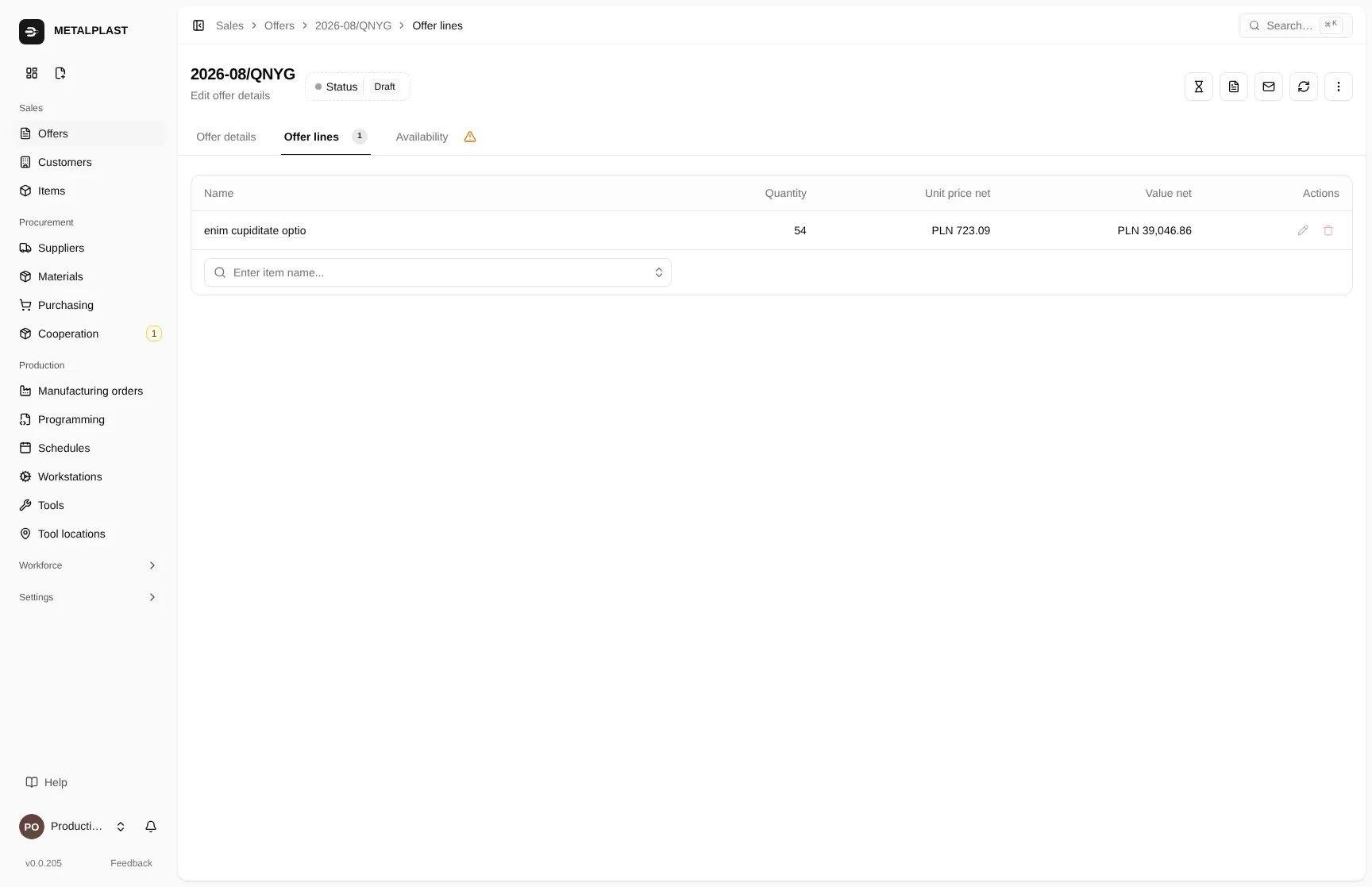
- 01A quote line with quantity and net unit price.
- 02Value calculated per line — you can see where the figure comes from.
The path of a quote
Six steps, none of them in a spreadsheet
Each step leaves behind data the next one uses. Nothing is re-typed by hand along the way.
01
Part and route
You create the part and enter its operations and material. The 3D model can be viewed and measured in the browser, without CAD software.
02
Pricing
Operation prices, material costs, per-line discount. You can see what makes up the figure, so it is easy to defend on the phone.
03
PDF for the customer
The quote comes out as a document with the discount, waste-register number and lead time. The same file you email.
04
Acceptance
The customer accepts everything or selected lines. You enter their order number for each. The lead time is recalculated for what was actually accepted.
05
Work on the floor
Accepted lines become a production order. Material is reserved; whatever is missing lands on the list to buy.
06
Shipping
You book the courier pickup through apaczka.pl from inside the system and track its status where you handle the job.
Screenshot missing
offer-pdf.png
Generate it with the tests in the rozdzielacz repo, then run bun run shots:sync.
The document
A PDF you can send without touching it up
The waste-register number is entered once in settings and appears on every document. Discounts, dates and line items come from the system, so the customer’s copy and yours are the same document.
The delivery note is generated on dispatch — in two variants, with or without prices, depending on what the recipient should see.
3D model
Check a dimension in the browser
Not everyone quoting a job has CAD software to hand. The part model opens in Torwio and lets you measure what you need in order to name a price.
Screenshot missing
part-3d.png
Generate it with the tests in the rozdzielacz repo, then run bun run shots:sync.
- 01Click two points and read the distance.
- 02The angle between parallel faces — without opening CAD.
- Distance between points — two clicks and a dimension.
- Face distance and angle — for parallel faces of the part.
- Model edges — toggled with one button, so you can read the geometry.
- Weight in the bill of materials — useful when estimating subcontracting billed by the kilogram, such as hardening.
CAM programming
The program has to be ready before machining starts
Its own queue
The programmer sees every job waiting to be programmed in one place.
Later steps are blocked
Operations on downstream workstations are held until the program is confirmed.
Closed only with permission
Only the person assigned to that workstation can close the program. Programming cost is entered once for the whole job.
Questions
The questions that come up anyway
01
A customer turns up with a drawing and does not ask the price. Can that be entered quickly?
Yes. A direct-production quote is created and accepted in a single step, skipping pricing — the job goes straight into production. Prices stay editable, so you can correct them later.
02
Does the discount apply to the whole quote?
The percentage discount is set on the quote line, not on the whole document. It also appears on the PDF sent to the customer.
03
Do I need CAD software to view the part model?
No. The 3D model opens in the browser. You can measure the distance between points, the distance between parallel faces and the angle between them, and toggle the model edges with one button.
Demo
Issue your first quote in Torwio
In the demo you enter your own part, price it and check whether the PDF is good enough to send to your customer. It takes fifteen minutes and says more than an hour-long presentation.